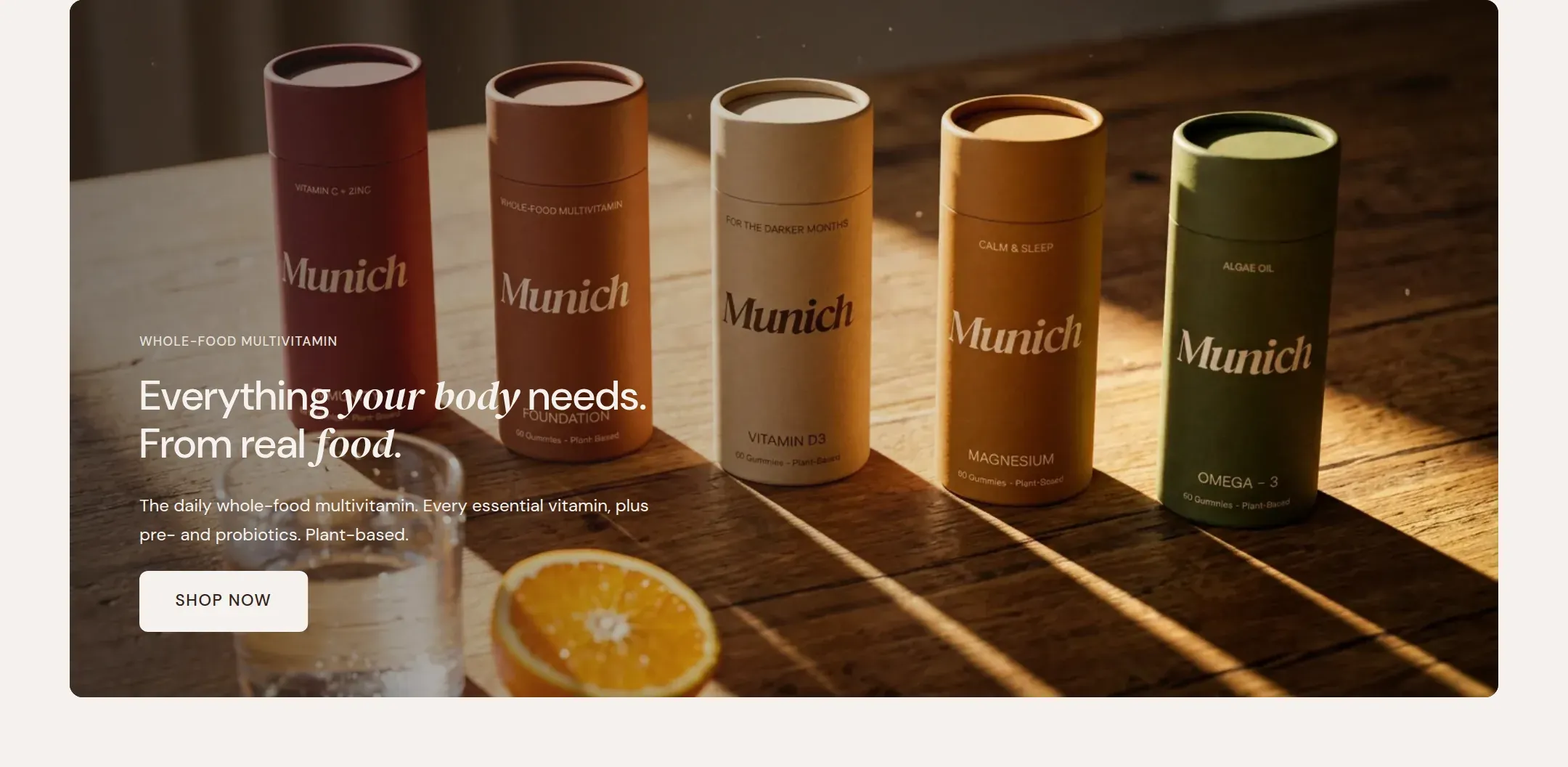
Full width hero slides with an image or a looping clip, an overlay and text, one slide or several.
munich-demo.myshopify.com
The home page hero as a single slide with the text at the left.
What it does
A full width (or page width) area with one or more slides. Each slide is an image or a
short muted video, an overlay in the scheme color to keep the text readable, and a text
block with heading, text and buttons that sits at one of nine positions. With several
slides, visitors move between them with arrows and dots, and the slideshow can rotate on
its own.
When to use it
At the top of the home page, as the hero. Also at the top of a landing page built on the
page template. For a single product, one slide with one clear message and one button
beats three slides every time.
Blocks
Slide: image or video, mobile image, alt text, overlay, content alignment and
position, minimum height. The text on the slide comes from the theme blocks inside the
slide: label, heading, text and button.
Setting it up
Add a Slide, upload the Image, and a portrait Mobile image if the photo is
wide.
Pick the slide’s Color scheme to match the photo, then adjust Overlay opacity
until the text is readable everywhere on the image.
Add heading, text and button blocks inside the slide and set Content alignment
and Content position.
Set Minimum height. 640 px fills most laptop screens without hiding the marquee
below.
With more than one slide, decide on Rotate slides automatically.
Settings
Setting
Type
What it does
General
Color scheme
Color scheme
The scheme of the slide sets the text color and the overlay tint as one pair. Pick a dark scheme over a dark photo, a light one over a light photo.
Width
Select
Fixed width keeps the section inside the page margin so it lines up with the sections around it. Full width runs it to the edge of the screen.Options: Fixed width, Full width · Default: Full width
Autoplay
Rotate slides automatically
Checkbox
Moves to the next slide on its own. Pauses while a visitor hovers, focuses or has paused it, and is off for visitors who prefer reduced motion.Default: off
Time between slides
Range
How long a slide stays before the next one moves in.5 to 12 s · Default: 6
Section padding
Top padding
Range
Space between the top of the section and its content. On a phone the theme tightens it by a quarter.0 to 120 px · Default: 0
Bottom padding
Range
Space between the content and the bottom of the section. On a phone the theme tightens it by a quarter.0 to 120 px · Default: 0
Slide block
Setting
Type
What it does
Image
Color scheme
Color scheme
The scheme of the slide sets the text color and the overlay tint as one pair. Pick a dark scheme over a dark photo, a light one over a light photo.
Image
Image
The slide image. 2000 px wide or more; the theme makes the smaller sizes.
Mobile image
Image
A portrait or square crop for phones. Falls back to the main image.
Video
Video
A short clip that plays muted and on a loop instead of the image.
Alt text
Text
Describes the image for people using a screen reader and for search engines. Leave empty to use the alt text set on the file in Content.
Overlay opacity
Range
How strongly the image is tinted in the scheme background color so the text stays readable. Raise it for busy or light photos.20 to 100 % · Default: 60
Content
Content alignment
Select
Whether the text on the slide sits left, centered or right.Options: Left, Center, Right · Default: Left
Content position
Select
Whether the text sits at the top, in the middle or at the bottom of the slide.Options: Top, Middle, Bottom · Default: Middle
Minimum height
Range
The smallest height of the slide. The image covers whatever height results.300 to 900 px · Default: 640
Label block
Setting
Type
What it does
Text
Text
A short kicker above the heading, such as a chapter name. Rendered small, spaced and uppercase.Default: Add a short label
Alignment
Select
Overrides the alignment of the section for this block only.Options: Inherit, Left, Center, Right · Default: Inherit
Heading block
Setting
Type
What it does
Heading
Text
The heading text. Italicize a word to set it in the accent font.Default: Add a heading that says what you stand for
Size
Select
How large the heading renders, on the shared type scale.Options: Large, Medium, Small, Extra small · Default: Medium
Heading level
Select
Page heading is the one heading that names what the page is about; use it once per page. Section heading and Subheading are for everything else.Options: Page heading, Section heading, Subheading · Default: Section heading
Accent font
Select
Highlight words puts the italicized words on the accent font. Whole heading sets the entire line in it. Off keeps the heading font.Options: Highlight words, Whole heading, Off · Default: Highlight words
Alignment
Select
Overrides the alignment of the section for this block only.Options: Inherit, Left, Center, Right · Default: Inherit
Text block
Setting
Type
What it does
Text
Rich text
A short kicker above the heading, such as a chapter name. Rendered small, spaced and uppercase.Default: <p>Use this text to explain the product, the story, or the promise behind it.</p>
Size
Select
How large the heading renders, on the shared type scale.Options: Large, Medium, Small · Default: Medium
Alignment
Select
Overrides the alignment of the section for this block only.Options: Inherit, Left, Center, Right · Default: Inherit
Button block
Setting
Type
What it does
Button label
Text
The text on the button.Default: Shop now
Button link
Link
Where the button leads.
Button style
Select
Solid is the primary button in the scheme colors, Outline a bordered button, Text link a plain underlined link.Options: Solid, Outline, Text link · Default: Solid
Size
Select
How large the heading renders, on the shared type scale.Options: Large, Medium · Default: Medium
Alignment
Select
Overrides the alignment of the section for this block only.Options: Inherit, Left, Center, Right · Default: Inherit
Key point block
Setting
Type
What it does
Text
Text
A short kicker above the heading, such as a chapter name. Rendered small, spaced and uppercase.Default: Free shipping on orders over 50
Icon
Select
The small icon in front of the text. None for a plain line.Options: None, Shipping, Returns, Guarantee, Delivery time, Natural, Gift, Secure payment, Check, Star · Default: Shipping
Alignment
Select
Overrides the alignment of the section for this block only.Options: Inherit, Left, Center, Right · Default: Inherit
Tips
One slide is a hero. That is how the demo uses it, and for a single product store it is usually right. Add more slides only if each one has its own message.
Upload the main image at 2400 px wide or more and a portrait Mobile image at 1200 x 1500 or so. The theme makes every smaller size.
The color scheme of a slide sets both the text color and the overlay tint. A dark scheme over a dark photo gives light text and a dark tint; a light scheme does the opposite.
The first slide's image is loaded with priority because it is usually the largest thing on the page. Keep it a photo, not a video, if load time matters most.