
404 page
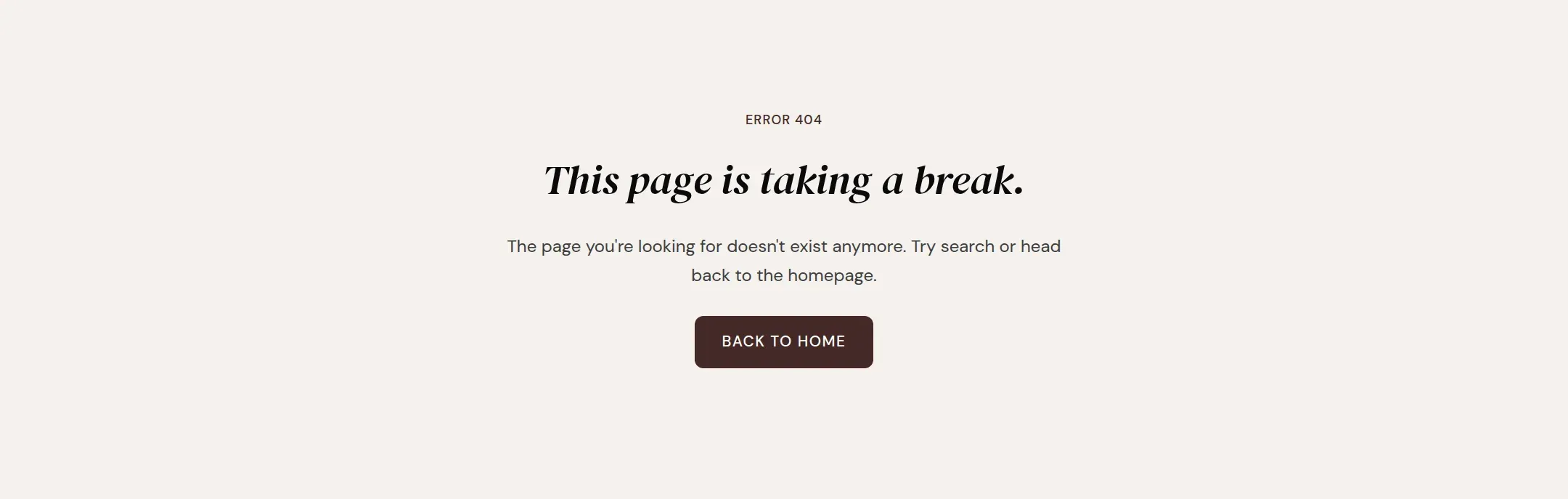
What a visitor sees on a missing page: a label, a heading, a text, a button home and an optional search field.
munich-demo.myshopify.com
What it does
The main section of the 404 template: label, heading, text, a button to the home page and, optionally, a search field.
When to use it
It is on the 404 template already and shows for every address that does not exist.
Setting it up
- Write the Heading and Text.
- Turn on Show search field.
Settings
| Setting | Type | What it does |
|---|---|---|
| General | ||
| Color scheme | Color scheme | The surface of the section: background, text, buttons and accent as one contrast-checked set. Schemes are edited under Theme settings, Colors. |
| Content | ||
| Label | Text | The small line above the heading, such as Error 404.Default: Error 404 |
| Heading | Text | The heading of the page.Default: This page is taking a break. |
| Text | Rich text | One or two sentences under the heading.Default: <p>The page you're looking for doesn't exist anymore. Try search or head back to the homepage.</p> |
| Button label | Text | The text on the button that leads to the home page. Empty hides the button.Default: Back to home |
| Show search field | Checkbox | Shows a search field under the text.Default: off |
| Section padding | ||
| Top padding | Range | Space between the top of the section and its content. On a phone the theme tightens it by a quarter.0 to 120 px · Default: 100 |
| Bottom padding | Range | Space between the content and the bottom of the section. On a phone the theme tightens it by a quarter.0 to 120 px · Default: 120 |
Tips
- Turn on Show search field. A visitor who typed an old address is more likely to search than to start from the home page.
- Keep the tone in your voice. It is a page many visitors see after a link from an old campaign.