
Cart
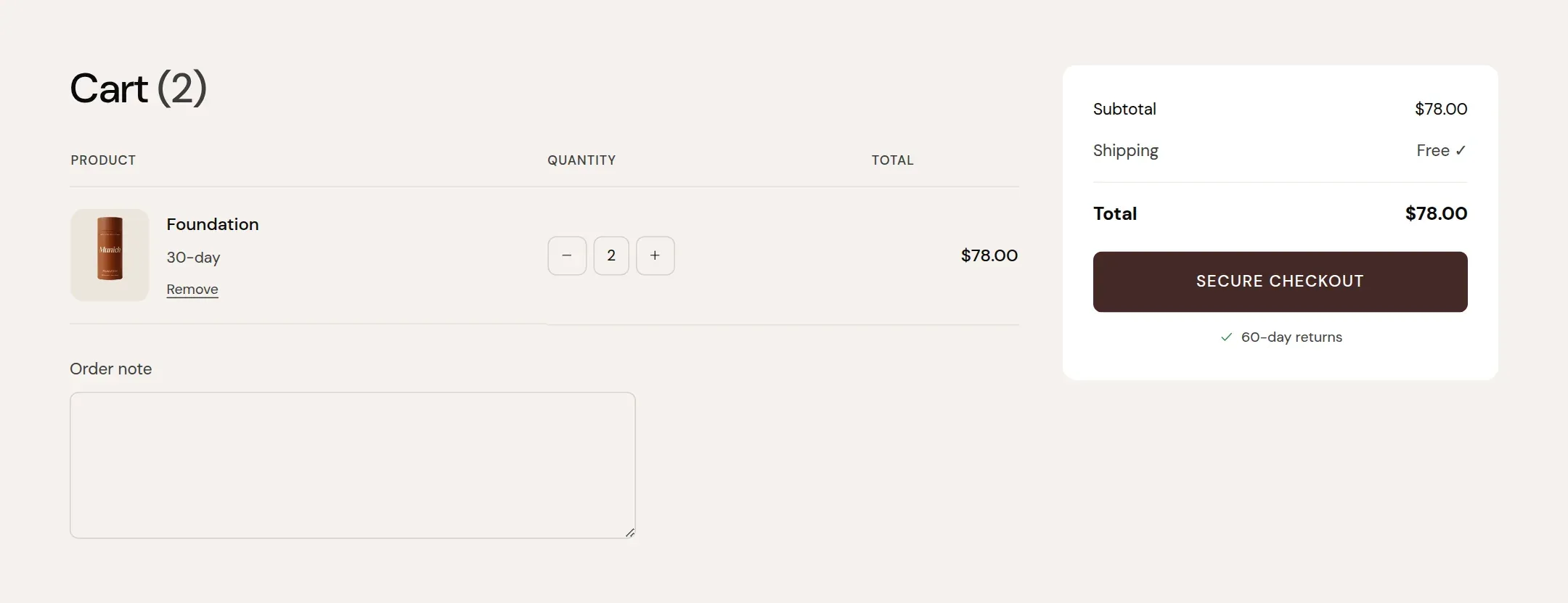
The cart page, with the same free shipping bar, lines, upsell and note as the drawer.
munich-demo.myshopify.com
What it does
The main section of the cart template: free shipping progress, cart lines with quantity and remove, the upsell product, the order note, totals and the checkout button, in a two column layout on desktop and one column on a phone. Quantity changes update the page in place.
When to use it
It is on the cart template already. Make it the primary cart by setting Cart type to Page under Theme settings → Cart.
Setting it up
- Pick a Color scheme and Width.
- Everything else: Theme settings → Cart.
Settings
| Setting | Type | What it does |
|---|---|---|
| General | ||
| Color scheme | Color scheme | The surface of the section: background, text, buttons and accent as one contrast-checked set. Schemes are edited under Theme settings, Colors. |
| Width | Select | Fixed width keeps the section inside the page margin so it lines up with the sections around it. Full width runs it to the edge of the screen.Options: Fixed width, Full width · Default: Fixed width |
| Section padding | ||
| Top padding | Range | Space between the top of the section and its content. On a phone the theme tightens it by a quarter.0 to 120 px · Default: 60 |
| Bottom padding | Range | Space between the content and the bottom of the section. On a phone the theme tightens it by a quarter.0 to 120 px · Default: 60 |
Tips
- The cart page exists whether Cart type is Drawer or Page. Visitors reach it from the cart icon when the drawer is off, from the drawer's title, and from any link to /cart.
- Its content settings are shared with the drawer under Theme settings, Cart. Here you only set the color scheme, width and padding of the page.
- The empty state shows a Shop now button and, if set, the Learn more link from the Cart settings.