
Blog posts
The latest posts of a blog as cards, in a grid, a carousel or with one post highlighted.
munich-demo.myshopify.com
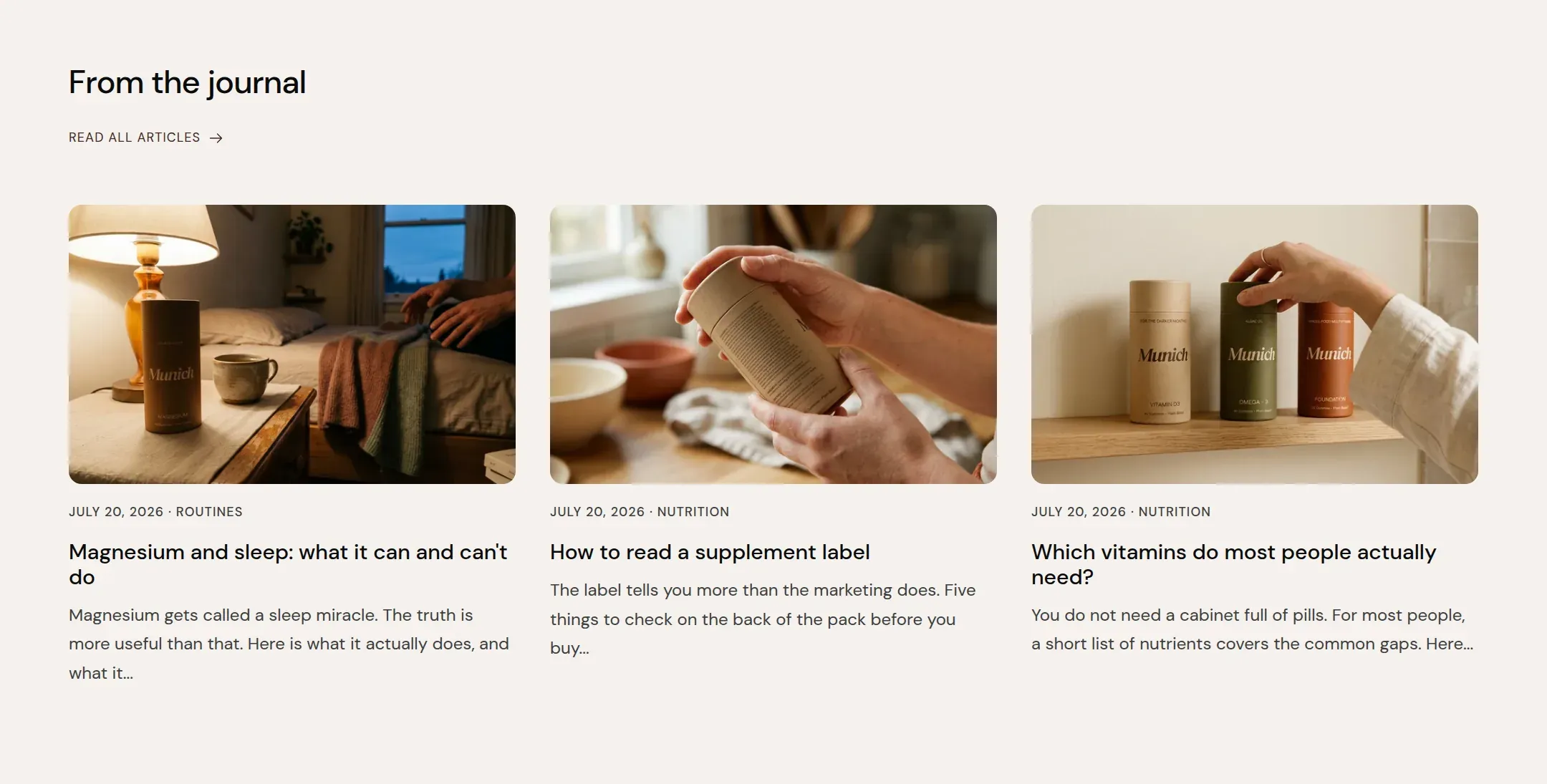
What it does
A section header and cards for the newest posts of one blog: image, date, tag, title and excerpt. Grid shows two or three per row, Carousel a scrollable row, One post highlighted the first post large with the rest beside it. The header link goes to the blog unless you set another target.
When to use it
On the home page below the story, so a visitor who is not ready to buy has somewhere to go. On the about page. The blog page itself is the Blog section on the blog template, not this one.
Setting it up
- Pick the Blog and set Posts to show.
- Choose Layout and Columns on desktop.
- Decide on Show date, Show tag and Show excerpt.
Settings
| Setting | Type | What it does |
|---|---|---|
| General | ||
| Color scheme | Color scheme | The surface of the section: background, text, buttons and accent as one contrast-checked set. Schemes are edited under Theme settings, Colors. |
| Width | Select | Fixed width keeps the section inside the page margin so it lines up with the sections around it. Full width runs it to the edge of the screen.Options: Fixed width, Full width · Default: Fixed width |
| Layout | Select | Grid lays the posts out in rows. Carousel puts them in a scrollable row. One post highlighted shows the newest large and the rest beside it.Options: Grid, Carousel, One post highlighted · Default: Grid |
| Swipe on mobile | Checkbox | On a phone, lays the items out in one row that the visitor swipes through, instead of stacking them.Default: off |
| Header | ||
| Heading | Text | The heading of the section. Italicize a word to set it in the accent font.Default: From the journal |
| Size | Select | How large the heading renders, on the shared type scale from Theme settings, Typography.Options: Large, Medium, Small, Extra small · Default: Medium |
| Heading level | Select | Page heading is the one heading that names what the whole page is about; use it once per page, usually on the first section. Everything else is a section heading.Options: Page heading, Section heading · Default: Section heading |
| Accent font | Select | Highlight words puts the italicized words on the accent font. Whole heading sets the entire line in it. Off keeps the heading font throughout.Options: Highlight words, Whole heading, Off · Default: Highlight words |
| Text | Rich text | A short paragraph under the heading. Keep it to one or two sentences. |
| Content alignment | Select | Whether heading, text and buttons sit left, centered or right inside the section.Options: Left, Center · Default: Left |
| Link label | Text | Text of the link in the header, such as Read all articles.Default: Read all articles |
| Link | Link | Where the header link leads. Empty links to the blog itself. |
| Posts | ||
| Blog | blog | Which blog to take the posts from. |
| Posts to show | Range | How many of the newest posts to show.2 to 6 · Default: 3 |
| Columns on desktop | Select | How many posts sit in a row on desktop.Options: 2, 3 · Default: 3 |
| Columns on mobile | Select | How many items sit in one row on a phone.Options: 1, 2 · Default: 1 |
| Show date | Checkbox | Shows the publication date above the title.Default: on |
| Show tag | Checkbox | Shows the post's first tag next to the date.Default: on |
| Show excerpt | Checkbox | Shows the post's excerpt, or its first lines, under the title.Default: on |
| Section padding | ||
| Top padding | Range | Space between the top of the section and its content. On a phone the theme tightens it by a quarter.0 to 120 px · Default: 60 |
| Bottom padding | Range | Space between the content and the bottom of the section. On a phone the theme tightens it by a quarter.0 to 120 px · Default: 90 |
This section also accepts app blocks, so apps that provide one can add content here.
Tips
- The section needs a blog with published posts. Create it under Online Store, Blog posts, and give every post a featured image; a card without an image shows a tinted panel.
- The excerpt is the post's excerpt field when it is filled and the first lines of the post otherwise. Write excerpts for the posts you feature; they read better than a cut off paragraph.
- One post highlighted shows the newest post large and the others as a list beside it. It suits a blog with one strong post a month.