
Search
The search page with the search field, results as products, blog posts and pages, filters and sorting, and a fallback for no results.
munich-demo.myshopify.com
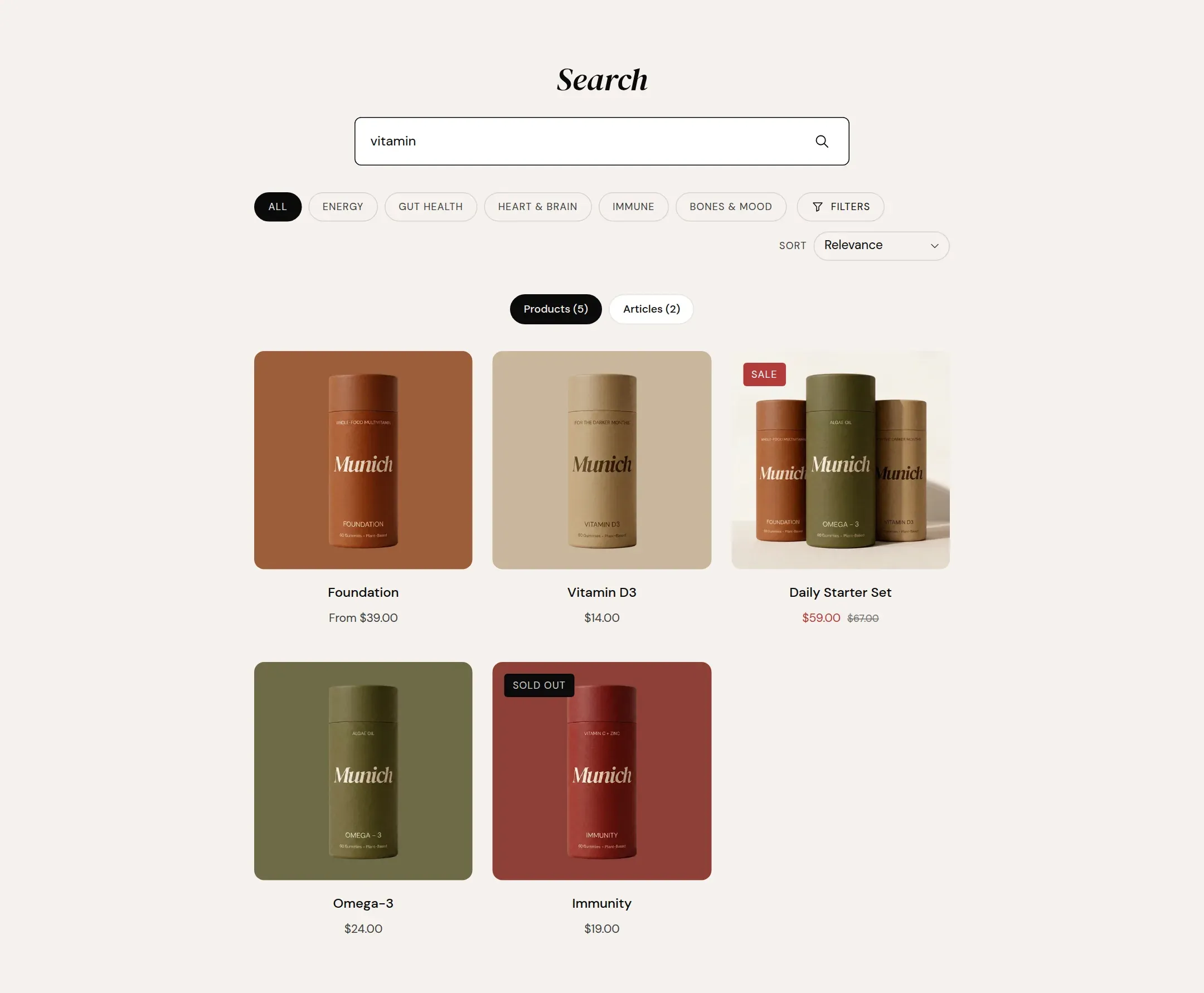
What it does
The main section of the search page: a large search field, the number of results, tabs for products, blog posts and pages, filters and sorting for the products, pagination, and a recommended collection when the search finds nothing.
When to use it
It is on the search template already. Every search from the header, the menu drawer or the 404 page lands here.
Setting it up
- Turn on Enable filtering and Enable sorting if you have filters set up in the Search & Discovery app.
- Pick a Recommended collection.
Settings
| Setting | Type | What it does |
|---|---|---|
| General | ||
| Color scheme | Color scheme | The surface of the section: background, text, buttons and accent as one contrast-checked set. Schemes are edited under Theme settings, Colors. |
| Filtering and sorting | ||
| Enable filtering | Checkbox | Shows filters for the product results. Applying one hides blog posts and pages, which Shopify does not filter.Default: on |
| Enable sorting | Checkbox | Shows the sort select for the product results.Default: on |
| No results | ||
| Recommended collection | Collection | A row of products shown when a search finds nothing. |
| Section padding | ||
| Top padding | Range | Space between the top of the section and its content. On a phone the theme tightens it by a quarter.0 to 120 px · Default: 72 |
| Bottom padding | Range | Space between the content and the bottom of the section. On a phone the theme tightens it by a quarter.0 to 120 px · Default: 64 |
Tips
- Results are grouped in tabs: products, blog posts, pages. Only groups with results are shown.
- Filters and sorting apply to products. Applying a filter drops the other result types from the page, because Shopify filters products only.
- The recommended collection is shown when nothing is found. Pick a small collection with strong products.