
Collections list
All collections as cards with image and title, on the collections page.
munich-demo.myshopify.com
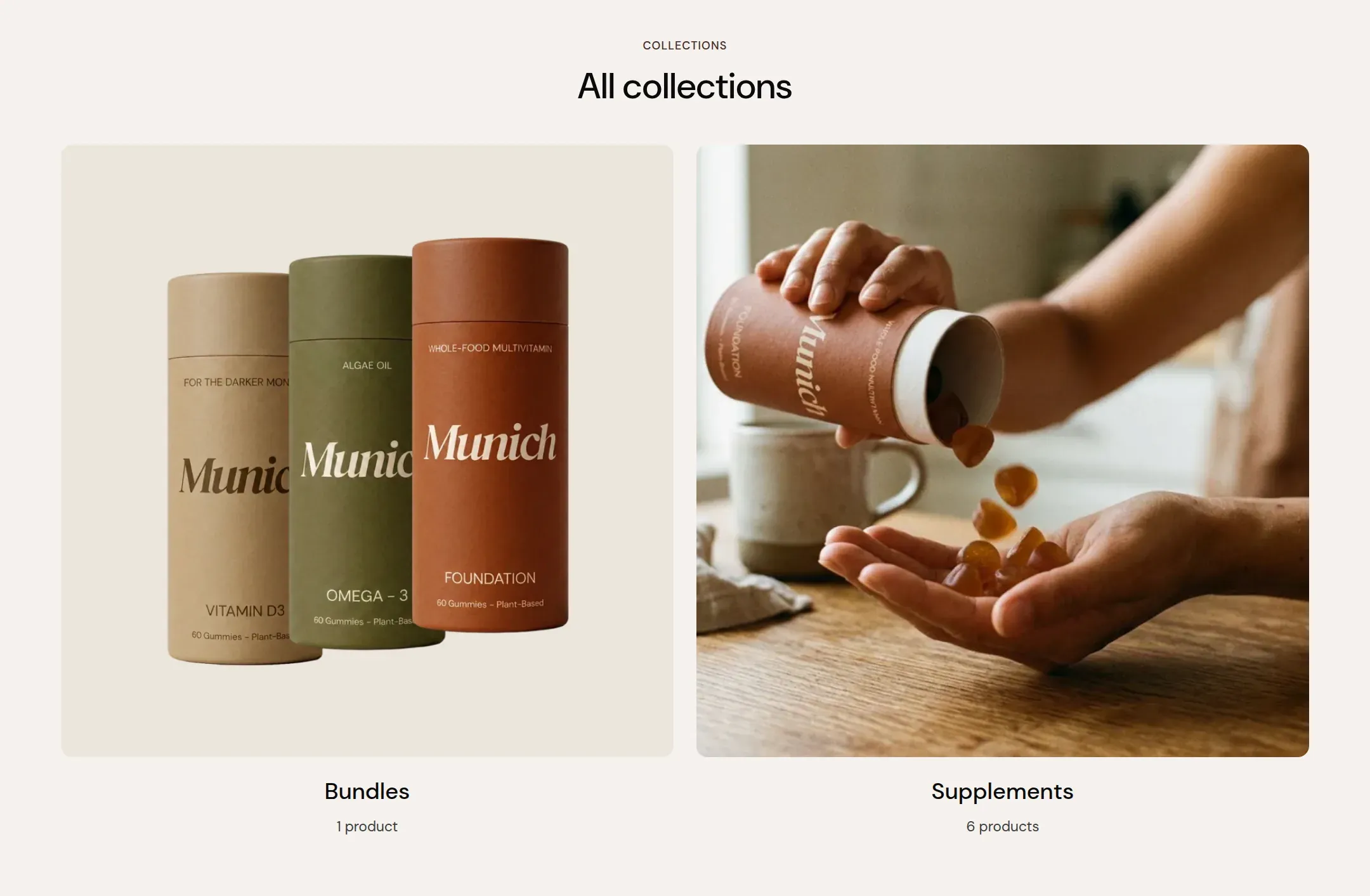
What it does
The main section of the collections page (/collections): a header and a grid of all
collections with image and title, two to four per row, paginated. On a phone the cards
stack, or swipe when Swipe on mobile is on.
When to use it
It is on the list-collections template already. Link the page from the menu when you have four or more collections worth browsing.
Setting it up
- Set Columns on desktop and Image ratio to match your collection images.
- Write the Heading and Label, or clear them.
Settings
| Setting | Type | What it does |
|---|---|---|
| General | ||
| Color scheme | Color scheme | The surface of the section: background, text, buttons and accent as one contrast-checked set. Schemes are edited under Theme settings, Colors. |
| Width | Select | Fixed width keeps the section inside the page margin so it lines up with the sections around it. Full width runs it to the edge of the screen.Options: Fixed width, Full width · Default: Fixed width |
| Swipe on mobile | Checkbox | On a phone, lays the items out in one row that the visitor swipes through, instead of stacking them.Default: off |
| Header | ||
| Label | Text | A small kicker above the heading.Default: Collections |
| Heading | Text | The heading of the section. Italicize a word to set it in the accent font.Default: All collections |
| Size | Select | How large the heading renders, on the shared type scale from Theme settings, Typography.Options: Large, Medium, Small, Extra small · Default: Large |
| Accent font | Select | Highlight words puts the italicized words on the accent font. Whole heading sets the entire line in it. Off keeps the heading font throughout.Options: Highlight words, Whole heading, Off · Default: Highlight words |
| Text | Rich text | A short paragraph under the heading. Keep it to one or two sentences. |
| Content alignment | Select | Whether heading, text and buttons sit left, centered or right inside the section.Options: Left, Center · Default: Center |
| Grid | ||
| Columns on desktop | Select | How many items sit in one row on a desktop screen.Options: 2, 3, 4 · Default: 3 |
| Columns on mobile | Select | How many items sit in one row on a phone.Options: 1, 2 · Default: 2 |
| Image ratio | Select | The shape every collection image is cropped to.Options: Landscape, Portrait, Square, Adapt to image · Default: Landscape |
| Collections per page | Range | How many collections a page shows before pagination.6 to 24 · Default: 12 |
| Section padding | ||
| Top padding | Range | Space between the top of the section and its content. On a phone the theme tightens it by a quarter.0 to 120 px · Default: 40 |
| Bottom padding | Range | Space between the content and the bottom of the section. On a phone the theme tightens it by a quarter.0 to 120 px · Default: 60 |
Tips
- Give every collection an image in the admin. A card without one shows the first product's image, which is fine for a small store and untidy for a large one.
- A store with one or two collections does not need this page in the menu. Link the collections directly.